Und dann auf "Zum Home-Bildschirm [+]".

Stöbern
genialokal zum Startbildschirm hinzufügen
Installieren Sie die genialokal App auf Ihrem Startbildschirm für einen schnellen Zugriff und eine komfortable Nutzung.
Installieren Sie die genialokal App auf Ihrem Startbildschirm für einen schnellen Zugriff und eine komfortable Nutzung.


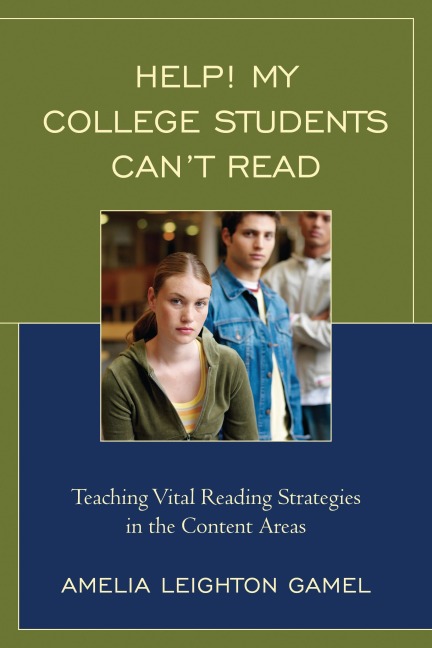
Help! My College Students Can't Read: Teaching Vital Reading Strategies in the Content Areas is designed as a resource guide for content area instructors who have no specific training in the field of literacy but want to help the struggling readers in their classrooms. This book provides simple, step-by-step ideas for introducing and embedding reading strategies within all content areas without sacrificing a lot of valuable class time. This easy-to-use resource will equip instructors to not only help their students be stronger readers in general, but to be stronger readers of content-area academic texts.
Amelia Leighton Gamel has comprehensive experience in the field of education as a reading specialist, college faculty member and administrator, educational presenter, and public school teacher. In addition to her current position as Lead Faculty for the reading program at Jackson College in Michigan, Amelia also serves as a facilitator for campus-wide reading workshops and classroom demonstrations in all content areas.
Acknowledgments
Introduction
1 Active Reading
Modeling Active Reading in the Classroom
The Bottom Line
Toolbox
Putting It to Work
Professional Spotlight Reading Interview
Appendix
2 Determining a Purpose
Getting Students to Buy In
Applying Their New Skills to Reading
Pre-reading Strategies to Determine Purpose
Pause and Sum Up
Making Predictions
Being Savvy Readers
More Help to Stay Engaged
The Bottom Line
Toolbox
Putting It to Work
Professional Spotlight Reading Interview
Appendix
3 Determining What's Important
Focused Reading Assignments
Intentional Focus
Read, Scan, or Skip?
Annotating a Text
Intentional Reading Demonstration
The Bottom Line
Toolbox
Putting It to Work
Professional Spotlight Reading Interview
Appendix
4 Developing Higher-Level Questions
Using Focus Quadrants to Teach Questioning Strategies
Teaching Students to Apply Questioning Strategies to Reading
The Bottom Line
Toolbox
Putting It to Work
Professional Spotlight Reading Interview
Appendix
5 Making Connections
Using Comparisons to Aid Understanding
Using Learned Information to Understand New Information
Drawing Inferences
Building Background Knowledge
The Bottom Line
Toolbox
Putting It to Work
Professional Spotlight Reading Interview
6 Navigating Unknown Words
Typical Student Default Strategy
Getting Students to Buy In
Vocabulary Resources
Prefixes, Root Words, and Suffixes
Using Familiar Words to Understand Unfamiliar Words
Swapping Words
Context Clues
Vocabulary Prompts
Vocabulary Lists
The Bottom Line
Toolbox
Putting It to Work
Professional Spotlight Reading Interview
Appendix
7 Creating Visuals to Enhance Comprehension and Recall
Getting Instructors to Buy In
Teaching Students to Create Visuals as They Read
The Bottom Line
Toolbox
Putting It to Work
Professional Spotlight Reading Interview
Appendix
8 Keeping It Real
Does Teaching Reading Strategies Really Change Anything?
How Much Time Does It Really Take?
Making the Most of Your Time
The Bottom Line
Professional Spotlight Reading Interview
Appendix
References
Dieses eBook wird im PDF-Format geliefert und ist mit einem Adobe Kopierschutz (DRM) versehen. Sie können dieses eBook mit allen Geräten lesen, die das PDF-Format und den Adobe Kopierschutz (DRM) unterstützen.
Zum Beispiel mit den folgenden Geräten:
• tolino Reader
Laden Sie das eBook direkt über den Reader-Shop auf dem tolino herunter oder übertragen Sie das eBook auf Ihren tolino mit einer kostenlosen Software wie beispielsweise Adobe Digital Editions.
• Sony Reader & andere eBook Reader
Laden Sie das eBook direkt über den Reader-Shop herunter oder übertragen Sie das eBook mit der kostenlosen Software Sony READER FOR PC/Mac oder Adobe Digital Editions auf ein Standard-Lesegeräte mit epub- und Adobe DRM-Unterstützung.
• Tablets & Smartphones
Möchten Sie dieses eBook auf Ihrem Smartphone oder Tablet lesen, finden Sie hier unsere kostenlose Lese-App für iPhone/iPad und Android Smartphone/Tablets.
• PC & Mac
Lesen Sie das eBook direkt nach dem Herunterladen mit einer kostenlosen Lesesoftware, beispielsweise Adobe Digital Editions, Sony READER FOR PC/Mac oder direkt über Ihre eBook-Bibliothek in Ihrem Konto unter „Meine eBooks“ - „online lesen“.
Schalten Sie das eBook mit Ihrer persönlichen Adobe ID auf bis zu sechs Geräten gleichzeitig frei.
Bitte beachten Sie, dass die Kindle-Geräte das Format nicht unterstützen und dieses eBook somit nicht auf Kindle-Geräten lesbar ist.