
Stöbern
genialokal zum Startbildschirm hinzufügen
Installieren Sie die genialokal App auf Ihrem Startbildschirm für einen schnellen Zugriff und eine komfortable Nutzung.
Installieren Sie die genialokal App auf Ihrem Startbildschirm für einen schnellen Zugriff und eine komfortable Nutzung.
Tippen Sie einfach auf Teilen:
 Und dann auf "Zum Home-Bildschirm [+]".
Bei genialokal.de kaufen Sie online bei Ihrer lokalen, inhabergeführten Buchhandlung!
Ihr gewünschter Artikel ist in 0 Buchhandlungen vorrätig - wählen Sie hier eine Buchhandlung in Ihrer Nähe aus:

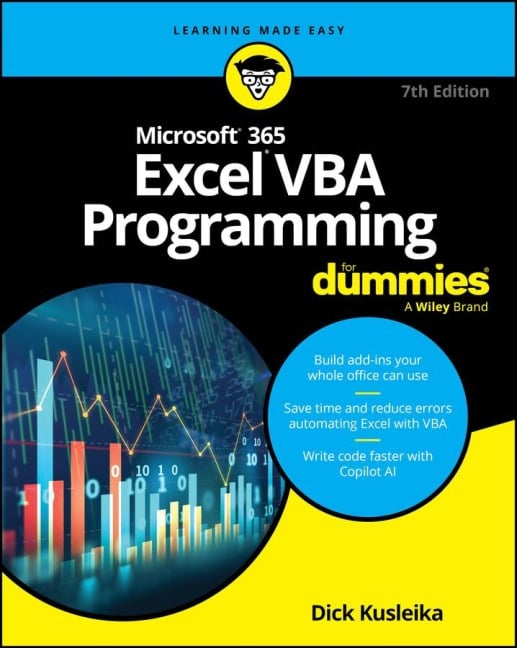
Spice up your spreadsheets with VBA macros Excel can do a lot-and you can make it do even more once you know Visual Basic for Applications (VBA) programming. Microsoft® 365 Excel® VBA Programming For Dummies will show you the ropes, including how to make simple programs ("macros") to automate tasks, add user input forms, and beyond. Even if you're brand new to VBA, this clear and simple guide will teach you everything you need to get started. You'll also learn how to use Microsoft's AI assistant, Copilot, to help you generate code and take your Excel game to the next level. Inside... - Create simple macros - Use the Visual Basic Editor - Troubleshoot errors - Explore AI-assisted VBA coding - Discover helpful code examples - Work with User Forms - Create Excel Add-Ins - Find extra resources and tips
Dick Kusleika has more than 25 years' experience helping Office users get the most out of Microsoft's bestselling software. From online forums to blogs, books, and conferences, he delivers sound and straightforward advice to readers of all skill levels.
Introduction 1 Part 1: Starting Excel VBA Programming 7 Chapter 1: Getting to Know VBA 9 Chapter 2: Building Simple Macros 17 Part 2: Using VBA with Excel 29 Chapter 3: Working in the Visual Basic Editor 31 Chapter 4: Introducing the Excel Object Model 51 Chapter 5: VBA Sub and Function Procedures 65 Part 3: Creating Code Automatically 81 Chapter 6: Using the Excel Macro Recorder 83 Chapter 7: Generating Code with Copilot 95 Part 4: Programming Concepts 107 Chapter 8: Essential VBA Language Elements 109 Chapter 9: Working with Range Objects 131 Chapter 10: Using VBA and Worksheet Functions 147 Chapter 11: Controlling Program Flow and Making Decisions 163 Chapter 12: Automatic Procedures and Events 183 Chapter 13: Error-Handling Techniques 205 Chapter 14: Bug Extermination Techniques 217 Chapter 15: VBA Programming Examples 231 Part 5: Communicating with Your Users 255 Chapter 16: Simple Dialog Boxes 257 Chapter 17: UserForm Basics 275 Chapter 18: Using UserForm Controls 293 Chapter 19: UserForm Techniques and Tricks 313 Chapter 20: Accessing Your Macros through the User Interface 341 Part 6: Putting It All Together 355 Chapter 21: Creating Worksheet Functions 357 Chapter 22: Creating Excel Add-Ins 379 Part 7: The Part of Tens 391 Chapter 23: Ten Handy Visual Basic Editor Tips 393 Chapter 24: Resources for VBA Help 403 Chapter 25: Ten VBA Do's and Don'ts 409 Index 415