
Stöbern
genialokal zum Startbildschirm hinzufügen
Installieren Sie die genialokal App auf Ihrem Startbildschirm für einen schnellen Zugriff und eine komfortable Nutzung.
Installieren Sie die genialokal App auf Ihrem Startbildschirm für einen schnellen Zugriff und eine komfortable Nutzung.
Tippen Sie einfach auf Teilen:
 Und dann auf "Zum Home-Bildschirm [+]".
Bei genialokal.de kaufen Sie online bei Ihrer lokalen, inhabergeführten Buchhandlung!
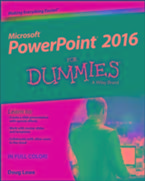
Get up and running with PowerPoint 2016 Does using PowerPoint make you want to pull your hair out? PowerPoint 2016 For Dummies takes the pain out of working with PowerPoint, offering plain-English explanations of everything you need to know to get up and running with the latest version of the software. With full-color illustrations and step-by-step instructions, it shows you how to create and edit slides, import data from other applications, collaborate with other users in the Cloud, add charts, clip art, sound, and video-and so much more. PowerPoint is the world's de facto presentation software, used and supported in over 60 countries. The time has never been better to take advantage of the latest software to make killer PowerPoint presentations. From adding special effects to your presentations to working with master slides and templates, this hands-on friendly guide is the fast and easy way to make PowerPoint work for you. - Presented in full color to better illustrate the powerful presentation features of the software - Helps you take advantage of all of PowerPoint's new features - Available in conjunction with the release of the next version of Microsoft Office - Written by bestselling author Doug Lowe If you're a new or inexperienced PowerPoint user who spends more time trying to figure out how the software works than you do actually working on your presentations, PowerPoint 2016 For Dummies is just what you need to gain back hours of your work day and make professional, impactful presentations.
Doug Lowe is a veteran author with more than 40 For Dummies books to his credit, including titles on everything from Microsoft Office productivity with PowerPoint to networking to programming in ASP.NET.
Introduction 1 Part I: Getting Started with PowerPoint 2016 5 Chapter 1: Welcome to PowerPoint 2016 7 Chapter 2: Editing Slides 31 Chapter 3: Working in Outline View 47 Chapter 4: Proofing Your Presentations 53 Chapter 5: Don't Forget Your Notes! 63 Chapter 6: Show Time! 69 Part II: Creating Great-Looking Slides 85 Chapter 7: All about Fonts and Text Formatting 87 Chapter 8: Designing Your Slides 103 Chapter 9: Animating Your Slides 117 Chapter 10: Masters of the Universe Meet the Templates of Doom 135 Part III: Embellishing Your Slides 157 Chapter 11: Inserting Pictures 159 Chapter 12: Drawing on Your Slides 177 Chapter 13: Charting for Fun and Profit 197 Chapter 14: Working with SmartArt 215 Chapter 15: Lights! Camera! Action! (Adding Sound and Video) 227 Chapter 16: More Things to Insert on Your Slides 239 Part IV: Working with Others 265 Chapter 17: Collaborating in the Cloud 267 Chapter 18: Using a Slide Library and Other Ways to Reuse Slides 277 Chapter 19: Exporting Your Presentation to Other Formats 283 Part V: The Part of Tens 295 Chapter 20: Ten PowerPoint Commandments 297 Chapter 21: Ten Tips for Creating Readable Slides 301 Chapter 22: Ten Ways to Keep Your Audience Awake 305 Index 309