Und dann auf "Zum Home-Bildschirm [+]".

Stöbern
genialokal zum Startbildschirm hinzufügen
Installieren Sie die genialokal App auf Ihrem Startbildschirm für einen schnellen Zugriff und eine komfortable Nutzung.
Installieren Sie die genialokal App auf Ihrem Startbildschirm für einen schnellen Zugriff und eine komfortable Nutzung.
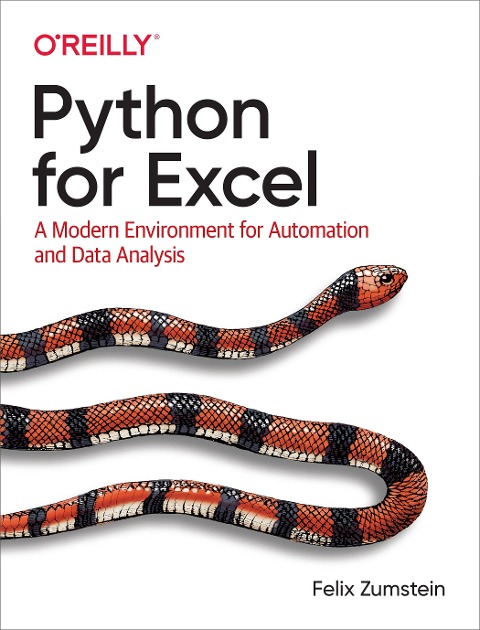

While Excel remains ubiquitous in the business world, recent Microsoft feedback forums are full of requests to include Python as an Excel scripting language. In fact, it''s the top feature requested. What makes this combination so compelling? In this hands-on guide, Felix Zumstein--creator of xlwings, a popular open source package for automating Excel with Python--shows experienced Excel users how to integrate these two worlds efficiently. Excel has added quite a few new capabilities over the past couple of years, but its automation language, VBA, stopped evolving a long time ago. Many Excel power users have already adopted Python for daily automation tasks. This guide gets you started.- Use Python without extensive programming knowledge- Get started with modern tools, including Jupyter notebooks and Visual Studio code- Use pandas to acquire, clean, and analyze data and replace typical Excel calculations- Automate tedious tasks like consolidation of Excel workbooks and production of Excel reports- Use xlwings to build interactive Excel tools that use Python as a calculation engine- Connect Excel to databases and CSV files and fetch data from the internet using Python code- Use Python as a single tool to replace VBA, Power Query, and Power Pivot
Dieses eBook wird im PDF-Format geliefert und ist mit einem Adobe Kopierschutz (DRM) versehen. Sie können dieses eBook mit allen Geräten lesen, die das PDF-Format und den Adobe Kopierschutz (DRM) unterstützen.
Zum Beispiel mit den folgenden Geräten:
• tolino Reader
Laden Sie das eBook direkt über den Reader-Shop auf dem tolino herunter oder übertragen Sie das eBook auf Ihren tolino mit einer kostenlosen Software wie beispielsweise Adobe Digital Editions.
• Sony Reader & andere eBook Reader
Laden Sie das eBook direkt über den Reader-Shop herunter oder übertragen Sie das eBook mit der kostenlosen Software Sony READER FOR PC/Mac oder Adobe Digital Editions auf ein Standard-Lesegeräte mit epub- und Adobe DRM-Unterstützung.
• Tablets & Smartphones
Möchten Sie dieses eBook auf Ihrem Smartphone oder Tablet lesen, finden Sie hier unsere kostenlose Lese-App für iPhone/iPad und Android Smartphone/Tablets.
• PC & Mac
Lesen Sie das eBook direkt nach dem Herunterladen mit einer kostenlosen Lesesoftware, beispielsweise Adobe Digital Editions, Sony READER FOR PC/Mac oder direkt über Ihre eBook-Bibliothek in Ihrem Konto unter „Meine eBooks“ - „online lesen“.
Schalten Sie das eBook mit Ihrer persönlichen Adobe ID auf bis zu sechs Geräten gleichzeitig frei.
Bitte beachten Sie, dass die Kindle-Geräte das Format nicht unterstützen und dieses eBook somit nicht auf Kindle-Geräten lesbar ist.