
Stöbern
genialokal zum Startbildschirm hinzufügen
Installieren Sie die genialokal App auf Ihrem Startbildschirm für einen schnellen Zugriff und eine komfortable Nutzung.
Installieren Sie die genialokal App auf Ihrem Startbildschirm für einen schnellen Zugriff und eine komfortable Nutzung.
Tippen Sie einfach auf Teilen:
 Und dann auf "Zum Home-Bildschirm [+]".
Bei genialokal.de kaufen Sie online bei Ihrer lokalen, inhabergeführten Buchhandlung!
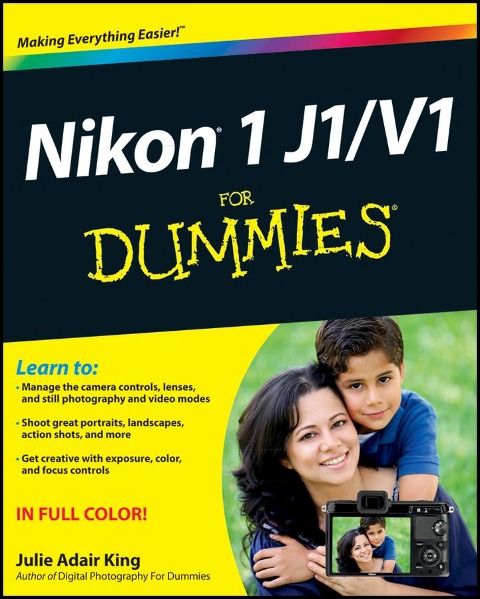
Master Nikon's first mirrorless camera with this full-color guide The Nikon 1 is a revolutionary new pocket-size camera line that packs the power of a digital SLR into a smaller body. This easy-to-follow guide covers both the J1 and V1 models, showing you all the modes and capabilities of each and how to use them. Illustrated with full-color images to show what you can achieve, it explores all the controls, different lenses, auto and video shooting modes, and how you can take creative control of your photos. It also teaches you which format to use, how to organize and manage your images, and how to get super shots of people, landscapes, action, and more. * This guide by leading photography instructor Julie Adair King provides a complete introduction to using the new Nikon 1 J1 and V1 models * Covers all the camera controls and how to use them, lenses, auto and video modes, and how to take control of exposure, color, and lighting * Explains how to get images from the camera to the computer, manage your photo files, and make basic edits * Full-color illustrations show the great effects you can achieve Nikon 1 J1/V1 For Dummieshelps you get the most from Nikon's new mirrorless camera.
Julie Adair King has been writing about digital cameras and photography for more than a decade. She is the author of several books on various Nikon and Canon cameras as well as Digital Photography For Dummies. She also teaches beginning photographers at the Palm Beach Photographic Centre.
Introduction 1 Part I: Fast Track to Super Snaps 5 Chapter 1: Getting the Lay of the Land 7 Chapter 2: Choosing Basic Picture Settings 31 Chapter 3: Taking Great Pictures, Automatically 57 Chapter 4: Shooting Digital Movies and Motion Snapshots 81 Part II: Working with Picture Files 103 Chapter 5: Playback Tricks: Viewing Your Photos and More 105 Chapter 6: Downloading, Printing, and Sharing Your Photos 137 Part III: Taking Creative Control 169 Chapter 7: Getting Creative with Exposure and Lighting 171 Chapter 8: Manipulating Focus and Color 213 Chapter 9: Putting It All Together 245 Part IV: The Part of Tens 261 Chapter 10: Top Ten Maintenance and Emergency Care Tips 263 Chapter 11: Ten Special-Purpose Features to Explore on a Rainy Day 273 Index 291
Dieses eBook wird im PDF-Format geliefert und ist mit einem Adobe Kopierschutz (DRM) versehen. Sie können dieses eBook mit allen Geräten lesen, die das PDF-Format und den Adobe Kopierschutz (DRM) unterstützen.
Zum Beispiel mit den folgenden Geräten:
• tolino Reader
Laden Sie das eBook direkt über den Reader-Shop auf dem tolino herunter oder übertragen Sie das eBook auf Ihren tolino mit einer kostenlosen Software wie beispielsweise Adobe Digital Editions.
• Sony Reader & andere eBook Reader
Laden Sie das eBook direkt über den Reader-Shop herunter oder übertragen Sie das eBook mit der kostenlosen Software Sony READER FOR PC/Mac oder Adobe Digital Editions auf ein Standard-Lesegeräte mit epub- und Adobe DRM-Unterstützung.
• Tablets & Smartphones
Möchten Sie dieses eBook auf Ihrem Smartphone oder Tablet lesen, finden Sie hier unsere kostenlose Lese-App für iPhone/iPad und Android Smartphone/Tablets.
• PC & Mac
Lesen Sie das eBook direkt nach dem Herunterladen mit einer kostenlosen Lesesoftware, beispielsweise Adobe Digital Editions, Sony READER FOR PC/Mac oder direkt über Ihre eBook-Bibliothek in Ihrem Konto unter „Meine eBooks“ - „online lesen“.
Schalten Sie das eBook mit Ihrer persönlichen Adobe ID auf bis zu sechs Geräten gleichzeitig frei.
Bitte beachten Sie, dass die Kindle-Geräte das Format nicht unterstützen und dieses eBook somit nicht auf Kindle-Geräten lesbar ist.