Und dann auf "Zum Home-Bildschirm [+]".

Stöbern
genialokal zum Startbildschirm hinzufügen
Installieren Sie die genialokal App auf Ihrem Startbildschirm für einen schnellen Zugriff und eine komfortable Nutzung.
Installieren Sie die genialokal App auf Ihrem Startbildschirm für einen schnellen Zugriff und eine komfortable Nutzung.
Ihr gewünschter Artikel ist in 0 Buchhandlungen vorrätig - wählen Sie hier eine Buchhandlung in Ihrer Nähe aus:

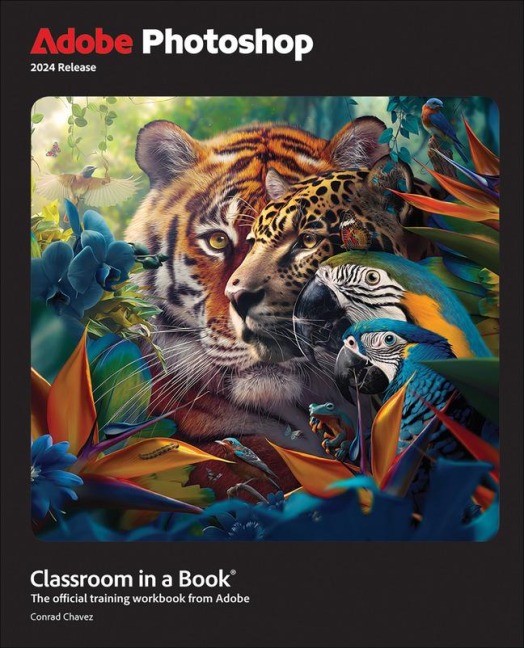
The fastest, easiest, most comprehensive way to learn Adobe Photoshop Adobe Photoshop Classroom in a Book 2024 Release contains 15 lessons that use real-world, project-based learning to cover the basics and beyond, providing countless tips and techniques to help you become more productive with the program. For beginners and experienced users alike, you can follow the book from start to finish or choose only those lessons that interest you. Learn to: - Create and improve digital images with AI-powered tools including Generative Fill. - Seamlessly remove backgrounds, replace skies, and repair photos - Select subjects with complex outlines, including hair, quickly and precisely - Composite multiple images and typography - Animate video, still, and type layers and export as a video - Edit camera raw images - Automate repetitive tasks - Save as a Photoshop cloud document to easily edit across desktop and mobile devices - Export your work for web, mobile devices, and print Classroom in a Book®, the best-selling series of hands-on software training workbooks, offers what no other book or training program does—an official training series from Adobe, developed with the support of Adobe product experts. Purchasing this book includes valuable online extras. Follow the instructions in the book's "Getting Started" section to unlock access to: - Downloadable lesson files you need to work through the projects in the book - Web Edition containing the complete text of the book, interactive quizzes, and videos that walk you through the lessons step by step What you need to use this book: Adobe Photoshop (2024 release) software, for either Windows or macOS. (Software not included.)
Conrad Chavez has provided education, training, and support for digital-media applications for over 20 years, originally contributing countless pages to the user guides for print, web, and digital video products at Aldus Corporation and Adobe Systems Inc. Now a freelance writer and editor, Conrad creates books and videos that teach Adobe Photoshop and Adobe Creative Cloud workflows. His work includes the last three editions of Real World Adobe Photoshop for Photographers and the video Color Management for Photographers and Designers. He also writes articles for publications including CreativePro.com, InDesign Magazine, and Peachpit.com.
Lesson 1 Getting to Know the Work Area Lesson 2 Basic Photo Corrections Lesson 3 Working with Selections Lesson 4 Layer Basics Lesson 5 Quick Fixes Lesson 6 Masks and Patterns Lesson 7 Typographic Design Lesson 8 Vector Drawing Techniques Lesson 9 Advanced Compositing Lesson 10 Painting with The Mixer Brush Lesson 11 Editing Video Lesson 12 Working with Camera Raw Lesson 13 Preparing Files for The Web Lesson 14 Producing and Printing Consistent Color Lesson 15 Exploring Neural Filters