Und dann auf "Zum Home-Bildschirm [+]".

Stöbern
genialokal zum Startbildschirm hinzufügen
Installieren Sie die genialokal App auf Ihrem Startbildschirm für einen schnellen Zugriff und eine komfortable Nutzung.
Installieren Sie die genialokal App auf Ihrem Startbildschirm für einen schnellen Zugriff und eine komfortable Nutzung.
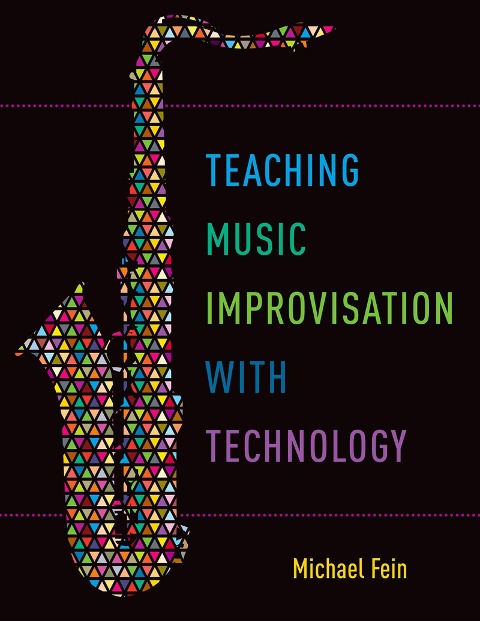
Incorporating technology in music classrooms can take the mystery out of improvisation. What music technology does is establish a strong foundation for chord, scale, phrase, ear training, and listening exercises, creating a solid backdrop for student expression. As author and educator Mike Fein shows, technology is a valuable tool that can be used effectively to supplement student practice time while also developing the skills necessary to become a proficient improviser. Complete with notated exercises, accompaniment tracks, and listening resources, this book gives teachers methods to set their students free to make mistakes and to develop their own ear for improvisation at their own pace. Broken down into significant areas of music technology, each chapter focuses on developing a new skill and guides readers to tangible outcomes with the assistance of hands-on activities that can be immediately implemented into the classroom. In addition to these hands-on activities, each chapter provides the reader with an "iPad Connection" to various iOS applications, which allows teachers and students another, albeit significantly less expensive, medium through which to learn, share, and create art.
This book will appeal to music educators of students in grades K-12. It will serve collegiate music education courses secondarily, and will also appeal to those music educators who work with improvisation and technology.
Michael Fein is an instructor in music technology who teaches at Haverford High School, at The University of the Arts, and at Central Connecticut State University. He was named Teacher of the Year by TI:ME, the Technology Institute for Music Educators, and he is a frequent clinician at music education conferences across the country.
Table of Contents:
Preface
Ch. 1: Introduction to the Mechanics of Improvisation 1. Improvisation is.... 2. Developing improvisation in musicians 3. Repertoire guidelines 4. Classroom Technology 5. How Can Technology Facilitate the Development of Improvisation in Musicians? 6. Existing Materials and Methods 7. iPad Connection: SmartMusic for iOS 8. Breaking the Ice: Percussion-only Improv Jam 9. Ch. 1 Review
Ch. 2: Auto Accompaniment Software: Band-in-a-Box and iReal Pro 1. Eb Jam Blues 2. Blues Variation: Freddie Freeloader 3. Modal Improvisation: So What 4. Chord Bracketing: Autumn Leaves 5. iPad Connection: iReal Pro 6. Ch. 2 Review
Ch. 3: Notation Software: Note Flight and forScore 1. Notation Software Options 2. Creating a Lead Sheet: Für Elise by Beethoven 3. Creating an Exercise Sheet: Money by Pink Floyd 4. Creating a Motif-based Solo: Four by Miles Davis 5. Creating a Chord-tone Solo: All the Things You Are 6. The Power of MIDI in Notation Software 7. iPad Connection: forScore 8. Ch. 3 Review
Ch. 4: Music Production Software: Audacity, GarageBand, and GarageBand for iOS 1. Isolating and Slowing Down Audio in Audacity: Miles Davis solo on So What 2. Comparing Melodies in Audacity: All Along the Watchtower by Dylan, Hendrix, and Matthews 3. Importing MIDI into GarageBand: Maiden Voyage by Herbie Hancock 4. High Quality Audio Recording in GarageBand and Audacity: Reprise of All the Things You Are Chord Tone Solo 5. iPad Connection: Creating Accompaniments Using Smart Instruments in GarageBand for iOS: Little Sunflower by Freddie Hubbard 6. Ch. 4 Review
Ch. 5: Web Resources for Listening (YouTube and Spotify) 1. Using YouTube to Teach Musical Improvisation 2. Using Spotify to Teach Musical Improvisation 3. iPad Connection: YouTube and Spotify Apps 4. Ch. 5 Review
Ch. 6: Web Resources for Posting: SoundCloud, Podomatic, Google Drive, and YouTube 1. Preparing Audio Files for Web Posting 2. Posting to SoundCloud 3. Posting to Podomatic 4. Posting and Sharing with Google Drive 5. iPad Connection: Posting to SoundCloud and YouTube from GarageBand for iOS 6. iPad Connection: YouTube Capture 7. Ch. 6 Review
Ch. 7: Web Design to Organize Online Material (Weebly) 1. Web Design Overview 2. Web Design with Weebly 3. iPad Connection: Weebly App 4. Ch. 7 Review
Closing Remarks
Index
Dieses eBook wird im PDF-Format geliefert und ist mit einem Adobe Kopierschutz (DRM) versehen. Sie können dieses eBook mit allen Geräten lesen, die das PDF-Format und den Adobe Kopierschutz (DRM) unterstützen.
Zum Beispiel mit den folgenden Geräten:
• tolino Reader
Laden Sie das eBook direkt über den Reader-Shop auf dem tolino herunter oder übertragen Sie das eBook auf Ihren tolino mit einer kostenlosen Software wie beispielsweise Adobe Digital Editions.
• Sony Reader & andere eBook Reader
Laden Sie das eBook direkt über den Reader-Shop herunter oder übertragen Sie das eBook mit der kostenlosen Software Sony READER FOR PC/Mac oder Adobe Digital Editions auf ein Standard-Lesegeräte mit epub- und Adobe DRM-Unterstützung.
• Tablets & Smartphones
Möchten Sie dieses eBook auf Ihrem Smartphone oder Tablet lesen, finden Sie hier unsere kostenlose Lese-App für iPhone/iPad und Android Smartphone/Tablets.
• PC & Mac
Lesen Sie das eBook direkt nach dem Herunterladen mit einer kostenlosen Lesesoftware, beispielsweise Adobe Digital Editions, Sony READER FOR PC/Mac oder direkt über Ihre eBook-Bibliothek in Ihrem Konto unter „Meine eBooks“ - „online lesen“.
Schalten Sie das eBook mit Ihrer persönlichen Adobe ID auf bis zu sechs Geräten gleichzeitig frei.
Bitte beachten Sie, dass die Kindle-Geräte das Format nicht unterstützen und dieses eBook somit nicht auf Kindle-Geräten lesbar ist.