Und dann auf "Zum Home-Bildschirm [+]".

Stöbern
genialokal zum Startbildschirm hinzufügen
Installieren Sie die genialokal App auf Ihrem Startbildschirm für einen schnellen Zugriff und eine komfortable Nutzung.
Installieren Sie die genialokal App auf Ihrem Startbildschirm für einen schnellen Zugriff und eine komfortable Nutzung.
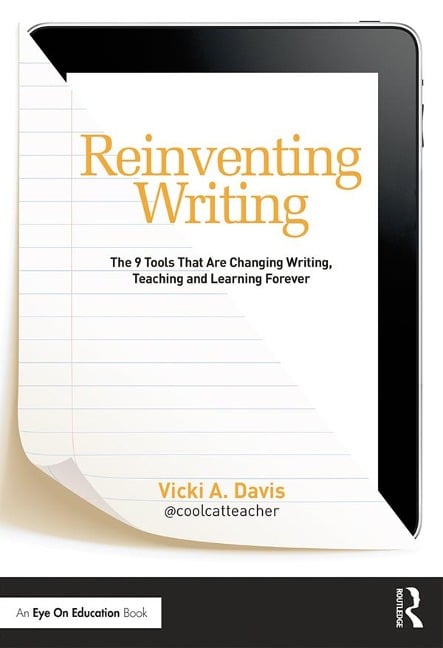
In this much-anticipated book from acclaimed blogger Vicki Davis (Cool Cat Teacher), you'll learn the key shifts in writing instruction necessary to move students forward in today's world. Vicki describes how the elements of traditional writing are being reinvented with cloud-based tools. Instead of paper, note taking, filing cabinets, word processors, and group reports, we now have tools like ePaper, eBooks, social bookmarking, cloud syncing, infographics, and more. Vicki shows you how to select the right tool, set it up quickly, and prevent common mistakes. She also helps you teach digital citizenship and offers exciting ways to build writing communities where students love to learn. Special Features: . Essential questions at the start of each chapter to get you thinking about the big ideas . A chapter on each of the nine essential cloud-based tools--ePaper and eBooks; digital notebooks; social bookmarking; cloud syncing; cloud writing apps; blogging and microblogging; wikis and website builders; online graphic organizers and mind maps; and cartoons and infographics . A wide variety of practical ways to use each tool in the classroom . Alignments to the Common Core State Standards in writing . Level Up Learning--a special section at the end of each chapter to help you review, reflect on, and apply what you've learned . Writing tips to help you make the best use of the tools and avoid common pitfalls . A glossary of key terms discussed in the book . Useful appendices, including reproducible material for your classroom No matter what grade level you teach or how much tech experience you have, you will benefit from Vicki's compelling and practical ideas. As she emphasizes throughout this essential book, teaching with cloud-based tools has never been easier, more convenient, or more important than right now.
Vicki Davis is the award-winning blogger known as Cool Cat Teacher (www.coolcatteacher.com). She is a thought-leader in the field of educational technology and a frequent speaker at conferences. She teaches and directs the IT department at Westwood Schools in Camilla, Georgia.
Part I: Get to Know the New Writing Chapter 1 - How Is Writing Reinvented? Chapter 2 - Picking the Right Tool Part II: The 9 Types of Tools Chapter 3 - Reinventing Paper: ePaper and eBooks Chapter 4 - Reinventing Notetaking: Digital Notebooks Chapter 5 - Reinventing Notecards: Social Bookmarking Chapter 6 - Reinventing the filing cabinet and inbox: Cloud Syncing Chapter 7 - Reinventing Word processors: CLOUD Writing Apps Chapter 8 - Reinventing Journals & Book Reports: Blogging and Microblogging Chapter 9 - Reinventing Group Reports and presentations: Wikis and Website builders Chapter 10 - Reinventing Prewriting: Graphic Organizers, Mind Mapping, and More Chapter 11 - Reinventing Illustrations and scrapbooks - Cartoons and Infographics Part III: Practical Ways to Implement the Tools in the Classroom Chapter 12 - Reinventing Citizenship: Preventing problems by teaching students how to be good digital citizens Chapter 13 - Making Your Job Easier: Building Writing Communities where students love to learn Chapter 14 - Will it Ever Stop? Enjoying & relaxing in the new age of change with a timeless mindset Appendices Appendix A - Quick Start Checklist (Putting it all together) Appendix B - Common Core Standards Summarized Appendix C - During Class Writing Checklist Appendix D - Good sources of information to add to the Student PLN Appendix E - Common Pages for Wikis and Websites
Dieses eBook wird im PDF-Format geliefert und ist mit einem Adobe Kopierschutz (DRM) versehen. Sie können dieses eBook mit allen Geräten lesen, die das PDF-Format und den Adobe Kopierschutz (DRM) unterstützen.
Zum Beispiel mit den folgenden Geräten:
• tolino Reader
Laden Sie das eBook direkt über den Reader-Shop auf dem tolino herunter oder übertragen Sie das eBook auf Ihren tolino mit einer kostenlosen Software wie beispielsweise Adobe Digital Editions.
• Sony Reader & andere eBook Reader
Laden Sie das eBook direkt über den Reader-Shop herunter oder übertragen Sie das eBook mit der kostenlosen Software Sony READER FOR PC/Mac oder Adobe Digital Editions auf ein Standard-Lesegeräte mit epub- und Adobe DRM-Unterstützung.
• Tablets & Smartphones
Möchten Sie dieses eBook auf Ihrem Smartphone oder Tablet lesen, finden Sie hier unsere kostenlose Lese-App für iPhone/iPad und Android Smartphone/Tablets.
• PC & Mac
Lesen Sie das eBook direkt nach dem Herunterladen mit einer kostenlosen Lesesoftware, beispielsweise Adobe Digital Editions, Sony READER FOR PC/Mac oder direkt über Ihre eBook-Bibliothek in Ihrem Konto unter „Meine eBooks“ - „online lesen“.
Schalten Sie das eBook mit Ihrer persönlichen Adobe ID auf bis zu sechs Geräten gleichzeitig frei.
Bitte beachten Sie, dass die Kindle-Geräte das Format nicht unterstützen und dieses eBook somit nicht auf Kindle-Geräten lesbar ist.