Und dann auf "Zum Home-Bildschirm [+]".

Stöbern
genialokal zum Startbildschirm hinzufügen
Installieren Sie die genialokal App auf Ihrem Startbildschirm für einen schnellen Zugriff und eine komfortable Nutzung.
Installieren Sie die genialokal App auf Ihrem Startbildschirm für einen schnellen Zugriff und eine komfortable Nutzung.
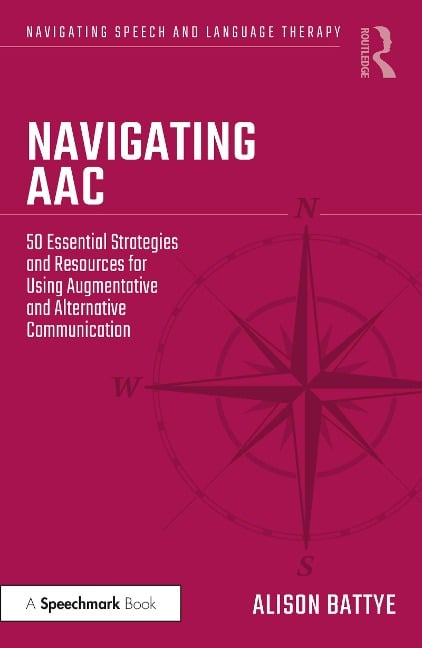
Speech and Language Therapists are assumed to have a knowledge of AAC (Augmentative and Alternative Communication). The reality is that, unless they have had a student clinical placement in this field, they will qualify with very little experience in this area. This book is an approachable guide to AAC and covers the various types, including paper-based and voice-output communication aids. There is guidance on how to assess a person who might need AAC, and how to work collaboratively with those who support the person on a daily basis. The author discusses the importance of core vocabulary alongside a personalised vocabulary. There are pointers for referring to specialised services, signposting families to alternative sources of funding, and making a business case for buying AAC equipment. Written by an expert in the field, this book provides tips and strategies for SLTs who are brand new to AAC, as well as experienced clinicians wanting to gain further confidence in working with this varied client group.
Alison Battye is the author of Who's Afraid of AAC? (2017). She is also a Specialist SLT in AAC and manager of regional specialised AAC services.
1. What is AAC? Assessing for AAC 2. How to introduce the idea of AAC 3. Everyone on board 4. Get to know the person 5. Assess, don't guess! 6. The foundations for AAC 7. A consistent 'yes' or 'no' 8. Assessing for access method Supporting the AAC user 9. Input before output 10. Multi-modal communication 11. Modelling AAC to a child 12. Communication partner training AAC solutions 13. Makaton signs 14. Objects of reference 15. Introducing symbols for choice-making 16. Symbol sets 17. Communication boards 18. Communication books 19. PECS (Picture Exchange Communication System) 20. Visual supports 21. Alphabet charts 22. Partner-assisted auditory scanning 23. Eye-pointing and E-Tran frames 24. Single message VOCAs 25. Multiple message VOCAs 26. AAC apps 27. Computer and tablet VOCAs 28. Eye-gaze technology 29. Voice-banking and message-banking 30. Communication passports Building language skills with AAC 31. Core and fringe vocabulary 32. Personalising the vocabulary 33. Building vocabulary skills 34. Building phrases and sentences 35. Communication functions 36. Conversation club Literacy, learning and AAC 37. Symbols or text? 38. Assessing literacy 39. Teaching literacy 40. Access to the curriculum Advocacy and AAC 41. Talking Mats 42. Mental capacity and making decisions 43. Safeguarding and AAC AAC and access to the world 44. Multi-media and environmental controls 45. AAC competencies 46. Setting objectives Funding for AAC 47. Specialist AAC assessment 48. Other funding streams 49. A business case for AAC resources 50. Continuing professional development
Dieses eBook wird im PDF-Format geliefert und ist mit einem Adobe Kopierschutz (DRM) versehen. Sie können dieses eBook mit allen Geräten lesen, die das PDF-Format und den Adobe Kopierschutz (DRM) unterstützen.
Zum Beispiel mit den folgenden Geräten:
• tolino Reader
Laden Sie das eBook direkt über den Reader-Shop auf dem tolino herunter oder übertragen Sie das eBook auf Ihren tolino mit einer kostenlosen Software wie beispielsweise Adobe Digital Editions.
• Sony Reader & andere eBook Reader
Laden Sie das eBook direkt über den Reader-Shop herunter oder übertragen Sie das eBook mit der kostenlosen Software Sony READER FOR PC/Mac oder Adobe Digital Editions auf ein Standard-Lesegeräte mit epub- und Adobe DRM-Unterstützung.
• Tablets & Smartphones
Möchten Sie dieses eBook auf Ihrem Smartphone oder Tablet lesen, finden Sie hier unsere kostenlose Lese-App für iPhone/iPad und Android Smartphone/Tablets.
• PC & Mac
Lesen Sie das eBook direkt nach dem Herunterladen mit einer kostenlosen Lesesoftware, beispielsweise Adobe Digital Editions, Sony READER FOR PC/Mac oder direkt über Ihre eBook-Bibliothek in Ihrem Konto unter „Meine eBooks“ - „online lesen“.
Schalten Sie das eBook mit Ihrer persönlichen Adobe ID auf bis zu sechs Geräten gleichzeitig frei.
Bitte beachten Sie, dass die Kindle-Geräte das Format nicht unterstützen und dieses eBook somit nicht auf Kindle-Geräten lesbar ist.