Und dann auf "Zum Home-Bildschirm [+]".

Stöbern
genialokal zum Startbildschirm hinzufügen
Installieren Sie die genialokal App auf Ihrem Startbildschirm für einen schnellen Zugriff und eine komfortable Nutzung.
Installieren Sie die genialokal App auf Ihrem Startbildschirm für einen schnellen Zugriff und eine komfortable Nutzung.
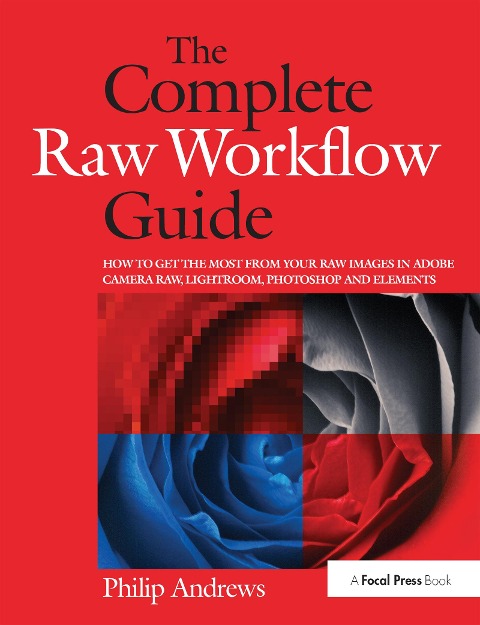
One of the most important technologies a photographer can master is shooting and working with raw images. However, figuring out the best way to work with raw files can be confusing and overwhelming. What's the advantage to working in raw? How do you manage, organize, and store raw files? What's the best way to process your files to meet your photographic needs? How do Photoshop, Lightroom and Adobe Camera Raw work together? Is it possible to keep your photos in the raw format and still enhance them extensively? Philip Andrews answers these questions and more in his all-new essential raw workflow guide.
Whether you are a beginner just starting to explore the intricacies of shooting raw, or a seasoned pro looking for a better workflow, this book provides all of the information you need to know to create stunning images from your raw files. As well as covering the most popular raw software packages such as Adobe Camera Raw and Lightroom, it provides general information that you will find useful no matter which software you prefer. Clear, precise step-by-step instructions will help you get from start to finish with essential tips and tricks along the way. Packed with inspirational images and clearly marked screenshots pointing out the exact information you need, you'll be on your way to creating a better, faster, and more efficient raw workflow in no time.
Philip Andrews is Adobe Australia's official Photoshop and Elements Ambassador. He is an experienced photographer, author, magazine editor and online course creator. He was previously a lecturer at the Queensland School of Printing and Graphic Arts, Australia and Nescot, England. He is a beta tester for Photoshop, an alpha tester for Photoshop Elements and a Photoshop specialist demonstrator for Adobe Australia. Contributing numerous articles and videos to AdobeTV and the inspirational browser, Philip is a leading source in adobe information and instruction. Philip is also co-founder of photo-college.com an online photography training college. He's a regular contributor to several magazines including Shutterbug, Amateur Photographer, Australian Photography and Better Photography, he is senior contributing editor for Better Digital, columnist for What Digital Camera and Co-editor and publisher of Better Photoshop Techniques magazine.
Introduction; Section 1 - Raw Basics: Raw School 101; Establishing a Raw Workflow; Shooting in Raw; Downloading to Computer; Section 2 - Core Processing: Camera Based Converters; Raw with Photoshop Elements; ACR, Photoshop and Bridge; Photoshop Lightroom; Section 3 - Advanced Editing/Enhancing: Beyond ACR Basics; Lossless Image Enhancement; Raw Editing in Photoshop; Creative Raw; Section 4 - Managing Raw Files: Organizing Raw Assets; Protecting Raw files; Index
Dieses eBook wird im PDF-Format geliefert und ist mit einem Adobe Kopierschutz (DRM) versehen. Sie können dieses eBook mit allen Geräten lesen, die das PDF-Format und den Adobe Kopierschutz (DRM) unterstützen.
Zum Beispiel mit den folgenden Geräten:
• tolino Reader
Laden Sie das eBook direkt über den Reader-Shop auf dem tolino herunter oder übertragen Sie das eBook auf Ihren tolino mit einer kostenlosen Software wie beispielsweise Adobe Digital Editions.
• Sony Reader & andere eBook Reader
Laden Sie das eBook direkt über den Reader-Shop herunter oder übertragen Sie das eBook mit der kostenlosen Software Sony READER FOR PC/Mac oder Adobe Digital Editions auf ein Standard-Lesegeräte mit epub- und Adobe DRM-Unterstützung.
• Tablets & Smartphones
Möchten Sie dieses eBook auf Ihrem Smartphone oder Tablet lesen, finden Sie hier unsere kostenlose Lese-App für iPhone/iPad und Android Smartphone/Tablets.
• PC & Mac
Lesen Sie das eBook direkt nach dem Herunterladen mit einer kostenlosen Lesesoftware, beispielsweise Adobe Digital Editions, Sony READER FOR PC/Mac oder direkt über Ihre eBook-Bibliothek in Ihrem Konto unter „Meine eBooks“ - „online lesen“.
Schalten Sie das eBook mit Ihrer persönlichen Adobe ID auf bis zu sechs Geräten gleichzeitig frei.
Bitte beachten Sie, dass die Kindle-Geräte das Format nicht unterstützen und dieses eBook somit nicht auf Kindle-Geräten lesbar ist.