Und dann auf "Zum Home-Bildschirm [+]".

Stöbern
genialokal zum Startbildschirm hinzufügen
Installieren Sie die genialokal App auf Ihrem Startbildschirm für einen schnellen Zugriff und eine komfortable Nutzung.
Installieren Sie die genialokal App auf Ihrem Startbildschirm für einen schnellen Zugriff und eine komfortable Nutzung.
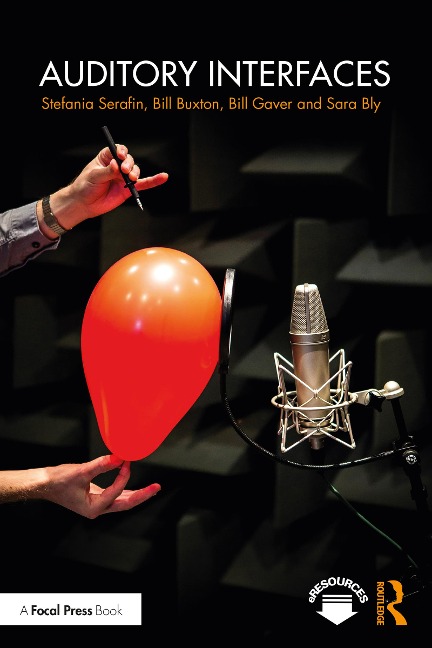
Auditory Interfaces explores how human-computer interactions can be significantly enhanced through the improved use of the audio channel. Providing historical, theoretical and practical perspectives, the book begins with an introductory overview, before presenting cutting-edge research with chapters on embodied music recognition, nonspeech audio, and user interfaces. This book will be of interest to advanced students, researchers and professionals working in a range of fields, from audio sound systems, to human-computer interaction and computer science.
Stefania Serafin is Professor in Sonic Interaction Design at Aalborg University in Copenhagen. Bill Buxton is a partner researcher at Microsoft Research and adjunct professor of computer science at the University of Toronto. Bill Gaver is Professor of Design and co-director of the Interaction Research Studio at Goldsmiths, University of London. Sara Bly is an independent consultant focused on user practice, particularly in designing technologies to support collaboration
List of Figures List of Tables Preface 0.1 Introduction 0.2 Overview 0.3 The Authors 1 Nonspeech audio: an introduction 1.1 Introduction 1.2 What About Noise? 1.3 Figure and Ground in Audio 1.4 Sound and the Visually Impaired 1.5 Auditory Display Techniques 1.6 Some Examples 1.7 Sound in Collaborative Work 1.8 Function and Signal Type 1.8.1 Alarms and Warning Systems 1.9 Audio Cues and Learning 1.10 Perception and Psychoacoustics 1.11 The Logistics of Sound 1.12 Summary 2 Acoustics and psychoacoustics 2.1 Introduction 2.2 Acoustics 2.2.1 Waveforms 2.2.2 Fourier analysis and spectral plots 2.3 More Complex waves 2.3.1 Sound, Obstacles, Bending and Shadows 2.3.2 Phase: its Implication on Sound and Representations 2.3.3 The Inverse Square Law 2.3.4 Helmholtz Revisited 2.3.5 Spectrograms 2.3.6 Formants vs Partials 2.4 Some digital signal processing concepts 2.5 Spatial Hearing 2.5.1 Head-related transfer functions (HRTF) 2.5.2 3D sound distance and reverberation 2.6 Psychoacoustics 2.6.1 Just Noticeable Difference (JND) 2.6.2 Critical Bands 2.6.3 Pitch 2.6.4 Pitches, Intervals, Scales and Ratios 2.6.5 Loudness 2.6.6 Duration, Attack Time and Rhythm. 2.6.7 Microvariation and Spectral Fusion 2.6.8 Timbre 2.6.9 Masking 2.6.10 Auditory Streaming 2.6.11 Sounds with Variations 2.6.12 Psychoacoustic Illusions 2.7 Perception of 3D sound 2.7.1 Precedence / Hass effect 2.7.2 Binaural Rendering 2.8 Hearing versus listening 2.9 Annoying sounds 2.10 Pleasant sounds 2.11 Embodied sound and music cognition 2.12 Conclusions 3 Sonification 3.1 Introduction 3.2 History 3.3 Model based sonification 3.4 Case Studies 3.4.1 Case Study 1: Presenting Information in Sound 3.4.2 Case Study 2: Dynamic Representation of Multivariate Time Series Data 3.4.3 Case Study 3: Stereophonic and Surface Sound Generation 3.4.4 Case Study 4: Auditory Presentation of Experimental Data 3.4.5 Case Study 5: Sonification of EEG data 3.5 Discussion 3.6 Issues 3.7 Issues of Data 3.7.1 Issues of Sound Parameters 3.7.2 Issues of Evaluation 3.8 Conclusions 4 Earcons 4.1 Introduction 4.2 Case Studies 4.2.1 Case Study 1: Alarms and Warning Systems 4.2.2 Alarms as Applied Psychoacoustics 4.2.3 Problems With Traditional Alarms and Convergences with Audio Interfaces 4.2.4 Case Study 2: Concurrent earcons 4.2.5 Case Study 3: Earcons for visually impaired users 4.3 Conclusions 5 Everyday listening 5.1 Introduction 5.2 Musical and Everyday Listening 5.2.1 Musical and Everyday Listening are Experiences 5.3 The Psychology of Everyday Listening 5.3.1 Knowledge About Everyday Listening 5.4 The Ecological Approach To Perception 5.4.1 Developing An Ecological Account Of Listening 5.5 What Do We Hear? 5.6 The Physics of Sound-Producing Events 5.7 Vibrating Objects 5.7.1 Aerodynamic Sounds 5.7.2 Liquid Sounds 5.7.3 Temporally Complex Events 5.8 Asking People What They Hear 5.9 Attributes of Everyday Listening 5.10 Patterned, Compound, and Hybrid Complex Sounds 5.10.1 Problems and Potentials of the Framework 5.11 How Do We Hear It? 5.12 Analysis and Synthesis of Sounds and Events 5.12.1 Breaking and Bouncing Bottles 5.12.2 Impact Sounds 5.12.3 Material and Length 5.12.4 Internal Friction and Material 5.13 Sound synthesis by physical modelling 5.14 Conclusions 6. Auditory icons 6.1 Introduction 6.2 Advantages of Auditory Icons 6.3 Systems Which Use Auditory Icons 6.3.1 Case Study 1: The SonicFinder: Creating an Auditory Desktop 6.3.2 Case study 2: SoundShark: Sounds in a Large Collaborative Environment 6.3.3 Case study 3: ARKola: Studying the Use of Sound in a Complex System 6.3.4 Case study 4: ShareMon: Background Sounds for Awareness 6.3.5 Case study 5: EAR: Environmental Audio Reminders 6.3.6 Case study 6: Shoogle: Excitatory Multimodal Interaction on Mobile Devices 6.3.7 Summary 6.4 Issues for Auditory Icons 6.4.1 Mapping Sounds to Events 6.4.2 What is Being Mapped to What? 6.4.3 Types of Mapping 6.5 The Vocabulary of Auditory Icons 6.5.1 Beyond Literal Mappings: Metaphors, Sound-effects, Cliche-s, and Genre Sounds 6.6 Annoyance 6.7 The Psychoacoustics of Annoying Sounds 6.7.1 The Principle of Optimal Complexity 6.7.2 Semantic Effects 6.7.3 The Tension Between Clarity and Obtrusiveness 6.8 Conclusions 6.9 What's Next? 7 Sonic Interaction Design 7.1 Introduction 7.2 Psychology of sonic interactions 7.3 Sonic interactions in products 7.4 Examples of objects with interesting sounds 7.5 Methods in sonic interaction design 7.6 Case studies 7.6.1 Case study 1: Naturalness influences perceived usability and pleasantness 7.6.2 Case study 2: The Ballancer: continuous sonic feedback from a rolling ball 7.7 Challenges of evaluation 7.8 Conclusions 8 Multimodal Interactions 8.1 Introduction 8.2 Audio-visual Interactions 8.3 Embodied interactions 8.4 Audio-haptic Interactions 8.5 Case study 1: Haptic Wave 8.6 Conclusions 9 Spatial auditory displays 9.1 Introduction 9.2 Hearables 9.3 Case studies 9.3.1 Case study 1: the LISTEN system 9.3.2 Case study 2: Soundscape by Microsoft 9.3.3 Case study 3: SWAN: a system for wearable audio navigation 9.3.4 Case study 4: Superhuman hearing 9.4 Conclusions 10 Synthesis and control of auditory icons 10.1 Introduction 10.2 Generating and Controlling Sounds 10.3 Parameterized Icons 10.3.1 Creating Parameterized Auditory Icons 10.3.2 Acoustic Information For Events 10.3.3 Analysis and Synthesis of Events 10.3.4 Impact Sounds 10.3.5 Mapping Synthesis Parameters to Source Attributes 10.3.6 An Efficient Algorithm for Synthesis 10.3.7 Breaking, Bouncing, and Spilling 10.3.8 From Impacts To Scraping 10.3.9 Machine Sounds 10.4 Physics based simulations 10.5 Communicating with sound models 10.6 Evaluation of sound synthesis methods 10.7 Conclusions 11 Summary and future research Bibliography Index
Dieses eBook wird im PDF-Format geliefert und ist mit einem Adobe Kopierschutz (DRM) versehen. Sie können dieses eBook mit allen Geräten lesen, die das PDF-Format und den Adobe Kopierschutz (DRM) unterstützen.
Zum Beispiel mit den folgenden Geräten:
• tolino Reader
Laden Sie das eBook direkt über den Reader-Shop auf dem tolino herunter oder übertragen Sie das eBook auf Ihren tolino mit einer kostenlosen Software wie beispielsweise Adobe Digital Editions.
• Sony Reader & andere eBook Reader
Laden Sie das eBook direkt über den Reader-Shop herunter oder übertragen Sie das eBook mit der kostenlosen Software Sony READER FOR PC/Mac oder Adobe Digital Editions auf ein Standard-Lesegeräte mit epub- und Adobe DRM-Unterstützung.
• Tablets & Smartphones
Möchten Sie dieses eBook auf Ihrem Smartphone oder Tablet lesen, finden Sie hier unsere kostenlose Lese-App für iPhone/iPad und Android Smartphone/Tablets.
• PC & Mac
Lesen Sie das eBook direkt nach dem Herunterladen mit einer kostenlosen Lesesoftware, beispielsweise Adobe Digital Editions, Sony READER FOR PC/Mac oder direkt über Ihre eBook-Bibliothek in Ihrem Konto unter „Meine eBooks“ - „online lesen“.
Schalten Sie das eBook mit Ihrer persönlichen Adobe ID auf bis zu sechs Geräten gleichzeitig frei.
Bitte beachten Sie, dass die Kindle-Geräte das Format nicht unterstützen und dieses eBook somit nicht auf Kindle-Geräten lesbar ist.