Und dann auf "Zum Home-Bildschirm [+]".

Stöbern
genialokal zum Startbildschirm hinzufügen
Installieren Sie die genialokal App auf Ihrem Startbildschirm für einen schnellen Zugriff und eine komfortable Nutzung.
Installieren Sie die genialokal App auf Ihrem Startbildschirm für einen schnellen Zugriff und eine komfortable Nutzung.
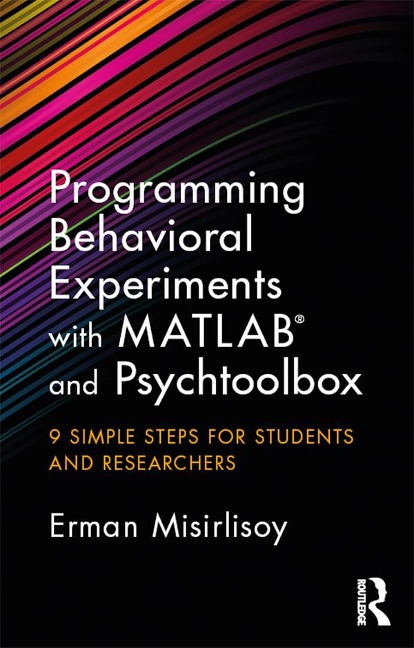
Human behavior is fascinating so it's no surprise that psychologists and neuroscientists spend their lives designing rigorous experiments to understand it. MATLAB is one of the most widely used pieces of software for designing and running behavioral experiments, and it opens up a world of quick and flexible experiment programming. This book offers a step-by-step guide to using MATLAB with Psychtoolbox to create customisable experiments. Its pocket size and simple language allow you to get straight to the point and help you to learn fast in order to complete your work in great time. In nine simple steps, it guides you all the way from setting parameters for your experiment to analysing the output. Gone are the daunting days of working through hundreds of irrelevant and complicated documents, as in this handy book, Erman Misirlisoy coaxes you in the right direction with his friendly and encouraging tricks and tips. If you want to learn how to develop your own experiments to collect and analyse behavioral data, then this book is a must-read. Whether you are a student in experimental psychology, a researcher in cognitive neuroscience, or simply someone who wants to run behavioral tasks on your friends for fun, this book will offer you the skills to succeed.
Erman Misirlisoy got his PhD in cognitive neuroscience from University College London. He went on to found a scientific consulting company and joined the company Peak in 2015 to help develop effective cognitive training interventions.
List of figures. Acknowledgements. Introduction 1. Step 0: Preliminary notes 2. Step 1: Initialisation 3. Step 2: Setting parameters and opening up variables to store experimental conditions and data 4. Step 3: Executing for loops to iterate through trials 5. Step 4: Using if statements to define trials and present stimuli 6. Step 5: Presenting stimuli and recording responses 7. Step 6: Saving data 8. Step 7: Debugging, optimisation and functions 9. Step 8: Testing and 'sanity checks' on data 10. Step 9: The basics of data analysis 11. Congratulations! Index
Dieses eBook wird im PDF-Format geliefert und ist mit einem Adobe Kopierschutz (DRM) versehen. Sie können dieses eBook mit allen Geräten lesen, die das PDF-Format und den Adobe Kopierschutz (DRM) unterstützen.
Zum Beispiel mit den folgenden Geräten:
• tolino Reader
Laden Sie das eBook direkt über den Reader-Shop auf dem tolino herunter oder übertragen Sie das eBook auf Ihren tolino mit einer kostenlosen Software wie beispielsweise Adobe Digital Editions.
• Sony Reader & andere eBook Reader
Laden Sie das eBook direkt über den Reader-Shop herunter oder übertragen Sie das eBook mit der kostenlosen Software Sony READER FOR PC/Mac oder Adobe Digital Editions auf ein Standard-Lesegeräte mit epub- und Adobe DRM-Unterstützung.
• Tablets & Smartphones
Möchten Sie dieses eBook auf Ihrem Smartphone oder Tablet lesen, finden Sie hier unsere kostenlose Lese-App für iPhone/iPad und Android Smartphone/Tablets.
• PC & Mac
Lesen Sie das eBook direkt nach dem Herunterladen mit einer kostenlosen Lesesoftware, beispielsweise Adobe Digital Editions, Sony READER FOR PC/Mac oder direkt über Ihre eBook-Bibliothek in Ihrem Konto unter „Meine eBooks“ - „online lesen“.
Schalten Sie das eBook mit Ihrer persönlichen Adobe ID auf bis zu sechs Geräten gleichzeitig frei.
Bitte beachten Sie, dass die Kindle-Geräte das Format nicht unterstützen und dieses eBook somit nicht auf Kindle-Geräten lesbar ist.